Booting Blackbone
All of Chrome's power — without Google's telemetry. Ad-block and secure DNS out of the box, VPN bridge to BlackBone, local AI assistant via Ollama. Your whole Blackbone stack in a single browser.
We're actively building Blackbone Browser. The current version is functional for internal testing; you'll automatically receive updates as we ship new features (Chrome extensions, cloud sync, mobile, App Store). Join the list and get the first build by email when it's ready.

14 features built-in care în Chrome cer 14 extensii diferite — și nu sunt sigure.
EasyList + EasyPrivacy applied at network layer via Ghostery — not an extension, directly in the request layer.
Cloudflare 1.1.1.1, Quad9, or encrypted Google DNS, applied to all Chromium requests.
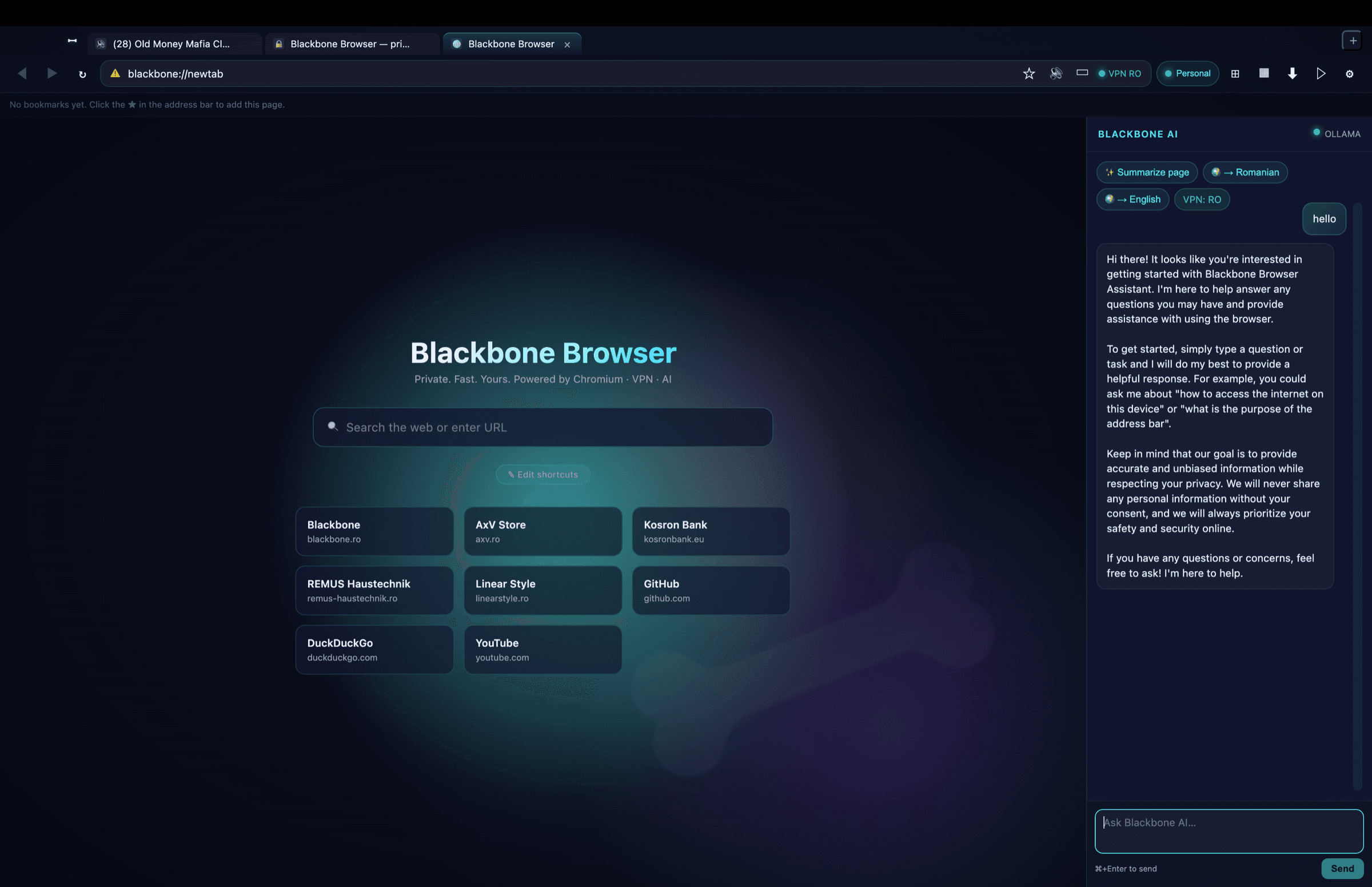
AI sidebar that answers questions, summarizes the page, and translates — locally via Ollama (free, private) or Claude API.
Auto-detects when BlackBone VPN is active, shows your public IP and country in the address bar.
Personal / Work / Kids with isolated cookies, history, and cache. Kids profile blocks 13 adult+social domains at network level.
Every downloaded file is SHA-256 hashed and scanned by local BlackBone Antivirus. Threats → automatic quarantine.
Type `g foo`, `yt music`, `gh react`, `wiki ...` and navigate directly. Plus search everywhere (⇧⌘E) across 3+ engines simultaneously.
Strip clutter with ⌥⌘R, voice reading via Web Speech, AI translation to any language.
摄像头、麦克风、位置和通知会按站点明确询问并记住你的选择。Kids 档案自动拒绝所有请求,设备 API(USB/HID/串口)始终被阻止。
像真正的浏览器一样右键操作:在新标签页打开链接、复制/保存图片、用默认搜索引擎搜索选中内容、检查元素。
真实网站图标、固定标签页、拖拽排序、彩色分组,右键即可静音或复制标签页。
blackbone://history 支持实时搜索和按天分组。加载失败时显示带重试按钮的品牌错误页,而不是空白标签页。
使用 ⌘F 在页面内查找(上一个/下一个、区分大小写),用 ⌘+/⌘− 或 ⌘+滚轮按标签页缩放——标签页打开期间保持缩放级别。
截取整个页面(⇧⌘S)或用鼠标框选区域(⌃⇧⌘S),将页面保存为 PDF(⇧⌘P)或直接打印(⌘P)。
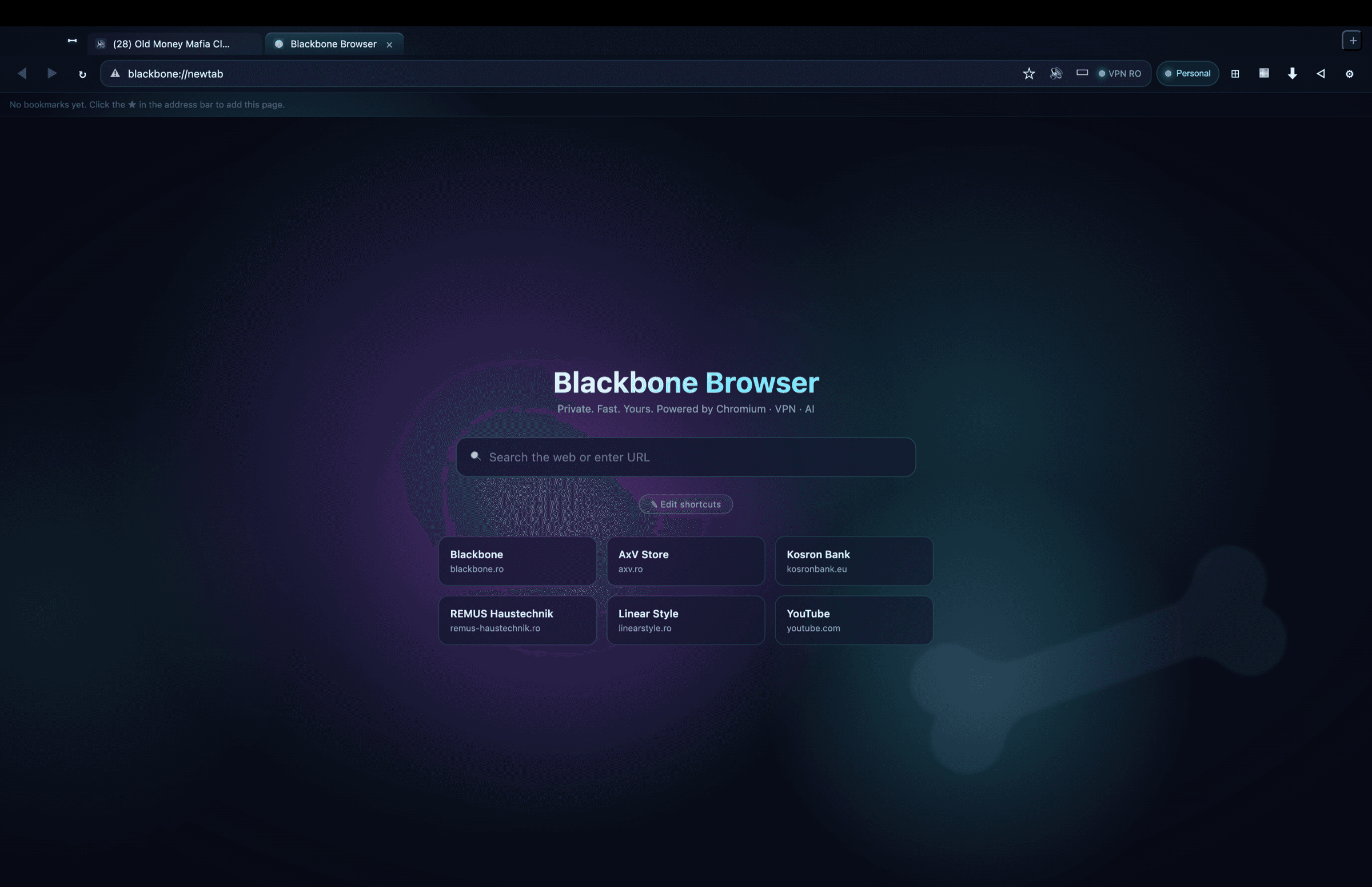
Blackbone design — navy/cyan auroras in the background, subtle bone watermark, AI sidebar always at hand.
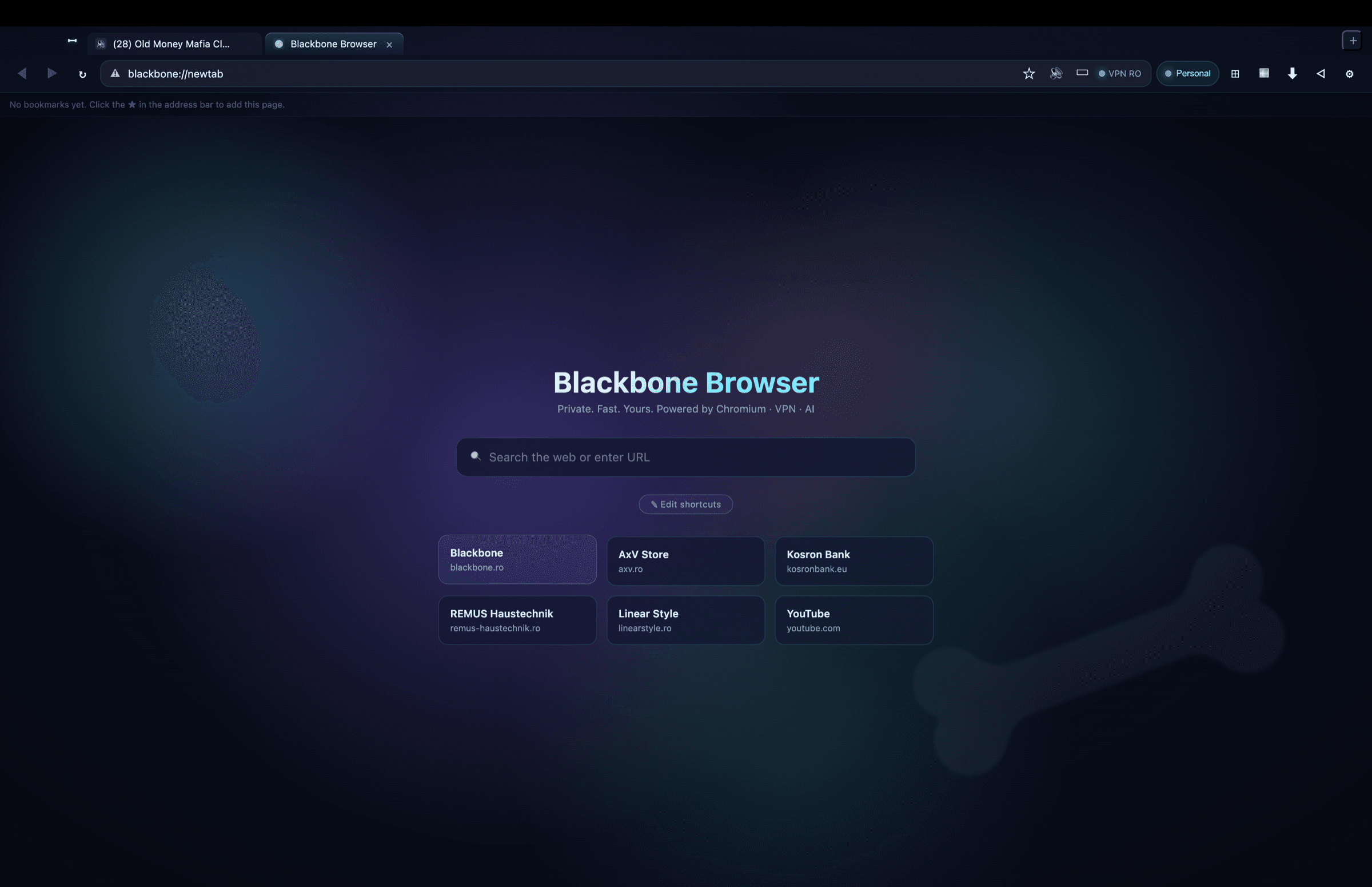
Everything Chrome does, without what it shouldn't.
Everything you need is one keystroke away.
Everything runs locally. Nothing leaves to Google or Blackbone. Daily automatic backup on your own Mac, no mandatory account.
Because none combine Chromium with native privacy + local AI + integration with your own VPN/Antivirus ecosystem. Blackbone Browser is Chrome without Google + Edge without Microsoft + Arc with more control.
Yes — anything that runs in Chrome runs here. Same Chromium 124+ engine (Blink + V8), same web APIs, same extensions (in future versions).
No, if you use local Ollama (free, runs on your Mac, no account needed). If you prefer Claude API, you pay Anthropic directly for what you consume.
Just Apple Silicon (M1+) and macOS 14+. For local AI: install Ollama (brew install ollama && ollama pull llama3).
We're actively building Blackbone Browser. The current version is functional for internal testing; you'll automatically receive updates as we ship new features (Chrome extensions, cloud sync, mobile, App Store). Join the list and get the first build by email when it's ready.
Notify me