Booting Blackbone
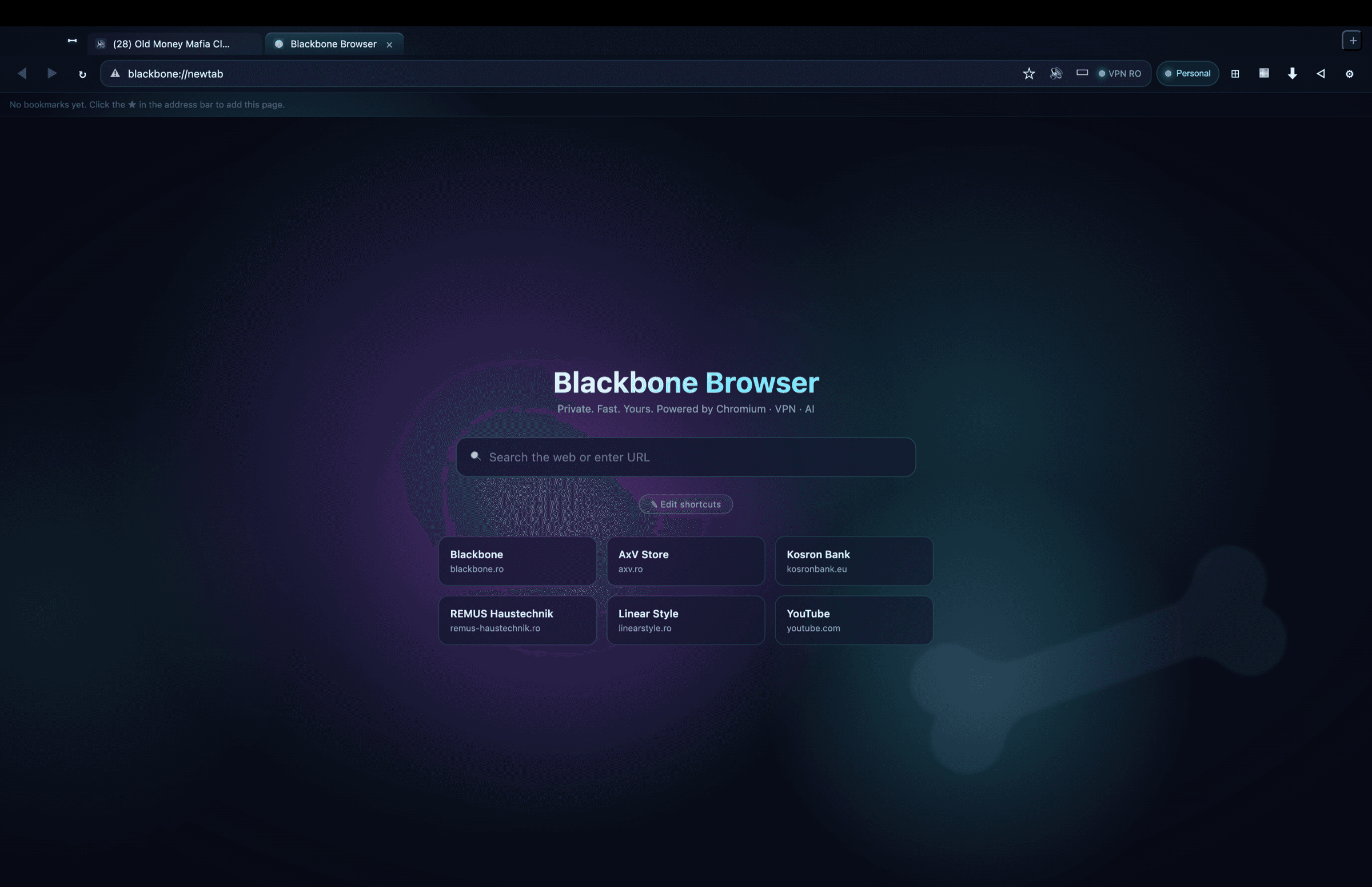
All of Chrome's power — without Google's telemetry. Ad-block and secure DNS out of the box, VPN bridge to BlackBone, local AI assistant via Ollama. Your whole Blackbone stack in a single browser.
We're actively building Blackbone Browser. The current version is functional for internal testing; you'll automatically receive updates as we ship new features (Chrome extensions, cloud sync, mobile, App Store). Join the list and get the first build by email when it's ready.

14 features built-in care în Chrome cer 14 extensii diferite — și nu sunt sigure.
EasyList + EasyPrivacy applied at network layer via Ghostery — not an extension, directly in the request layer.
Cloudflare 1.1.1.1, Quad9, or encrypted Google DNS, applied to all Chromium requests.
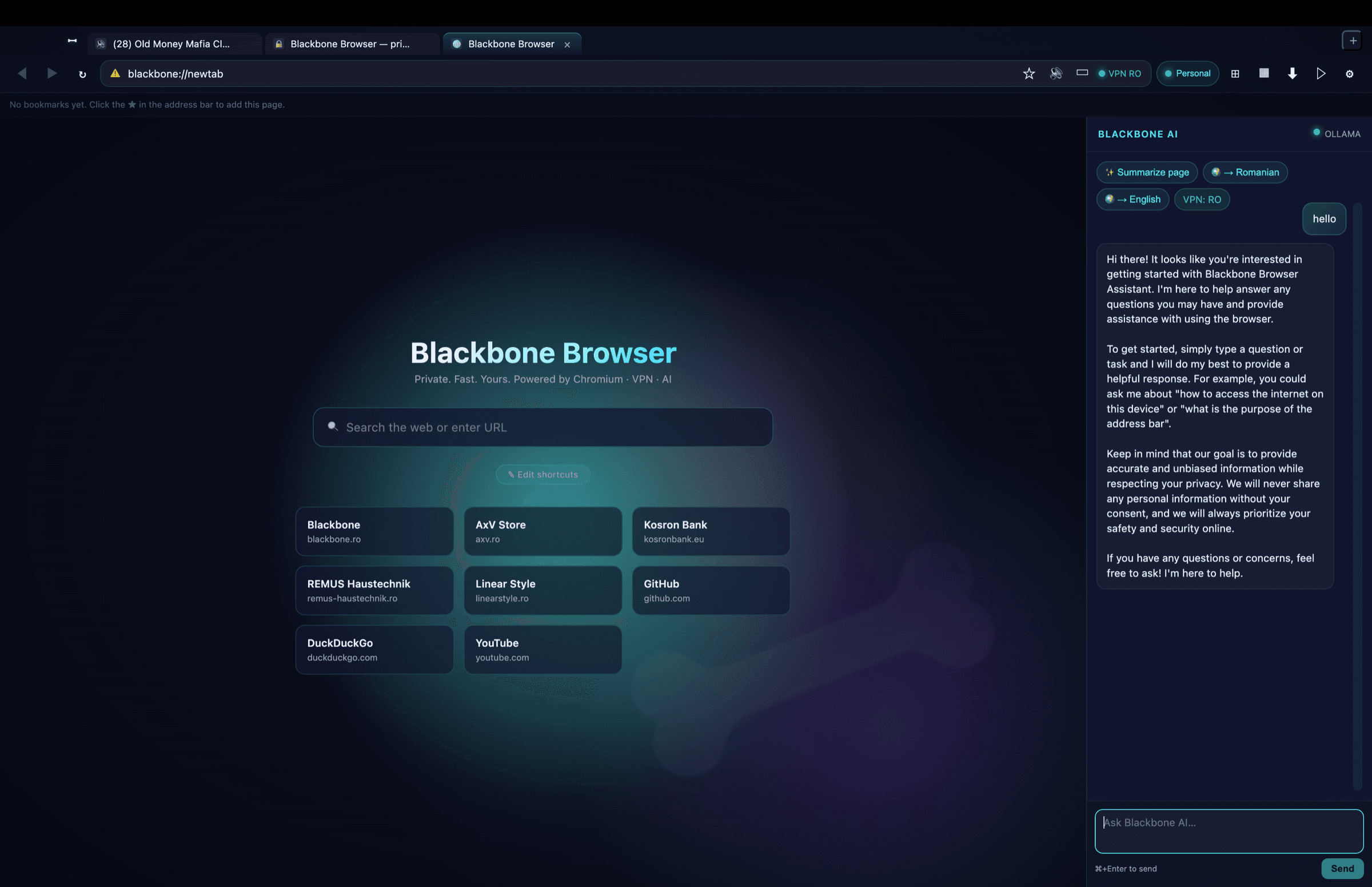
AI sidebar that answers questions, summarizes the page, and translates — locally via Ollama (free, private) or Claude API.
Auto-detects when BlackBone VPN is active, shows your public IP and country in the address bar.
Personal / Work / Kids with isolated cookies, history, and cache. Kids profile blocks 13 adult+social domains at network level.
Every downloaded file is SHA-256 hashed and scanned by local BlackBone Antivirus. Threats → automatic quarantine.
Type `g foo`, `yt music`, `gh react`, `wiki ...` and navigate directly. Plus search everywhere (⇧⌘E) across 3+ engines simultaneously.
Strip clutter with ⌥⌘R, voice reading via Web Speech, AI translation to any language.
Caméra, micro, localisation et notifications sont demandées explicitement et mémorisées par site. Le profil Kids refuse tout automatiquement et les API d'appareils (USB/HID/série) sont bloquées en permanence.
Clic droit comme dans un vrai navigateur : ouvrir le lien dans un nouvel onglet, copier/enregistrer les images, rechercher la sélection avec votre moteur par défaut, inspecter l'élément.
Vraies favicons, onglets épinglés, réorganisation par glisser-déposer, groupes colorés, muet et duplication en un clic droit.
blackbone://history avec recherche en direct et regroupement par jour. Une navigation échouée affiche une page d'erreur brandée avec retry — pas un onglet vide.
Cherchez dans la page avec ⌘F (suivant/précédent, casse), zoom par onglet avec ⌘+/⌘− ou ⌘+molette — le niveau est conservé tant que l'onglet reste ouvert.
Capturez la page entière (⇧⌘S) ou sélectionnez une zone à la souris (⌃⇧⌘S), enregistrez la page en PDF (⇧⌘P) ou imprimez directement (⌘P).
Blackbone design — navy/cyan auroras in the background, subtle bone watermark, AI sidebar always at hand.
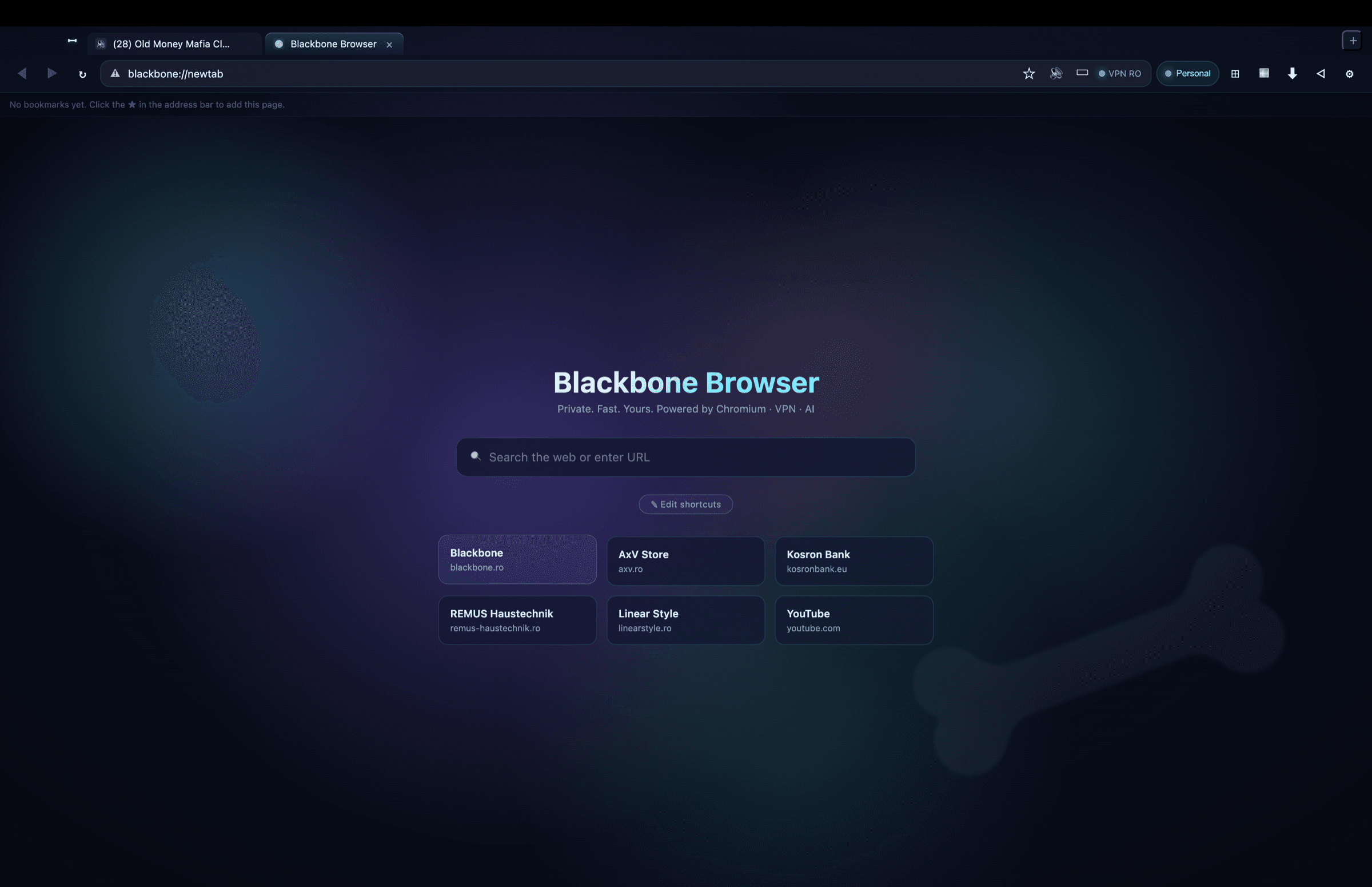
Everything Chrome does, without what it shouldn't.
Everything you need is one keystroke away.
Everything runs locally. Nothing leaves to Google or Blackbone. Daily automatic backup on your own Mac, no mandatory account.
Because none combine Chromium with native privacy + local AI + integration with your own VPN/Antivirus ecosystem. Blackbone Browser is Chrome without Google + Edge without Microsoft + Arc with more control.
Yes — anything that runs in Chrome runs here. Same Chromium 124+ engine (Blink + V8), same web APIs, same extensions (in future versions).
No, if you use local Ollama (free, runs on your Mac, no account needed). If you prefer Claude API, you pay Anthropic directly for what you consume.
Just Apple Silicon (M1+) and macOS 14+. For local AI: install Ollama (brew install ollama && ollama pull llama3).
We're actively building Blackbone Browser. The current version is functional for internal testing; you'll automatically receive updates as we ship new features (Chrome extensions, cloud sync, mobile, App Store). Join the list and get the first build by email when it's ready.
Notify me